Smart Pricing is a tool to help price and quote projects based on actual data to ensure each project you bid on is as profitable as possible.
Project List
In the list of projects, you will find 2 types of records (estimates and projects).
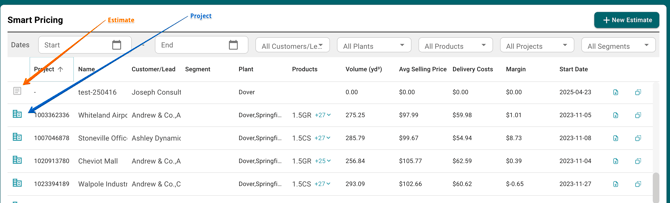
- Estimate: Pricing Project created in Smart Pricing. Using estimated data inputed during the estimation process.
- Project: Actual project coming from your dispatch system and with actual data.
Creating a new Estimate
You can create estimate 2 different ways:
- From scratch
- Based on a project or estimate
From Scratch
Click on "New Estimate"
Based on a project or estimate
Click on the duplicate project icon, this will create a new estimate while copying the same parameters as that project or estimate (e.g cycle time, concrete products etc.).

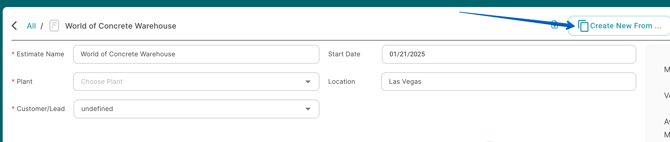
Or if you are on the project details page, you can click on "Create New From..."