
Estimate Details

This section holds all the details related to the estimate. Its name, which plant it comes from, the customer it is for, the start date of the project as well as its location.
Picking a plant will impact the material costs and recipes of the selected concrete products at the next step.
For customers, search for any customer you have done business with in the past or type its name and click on "Add XXX" to create that new customer.
Adding Products
Pick any products that is available at that plant from the dropdown. Material costs will populate automatically.
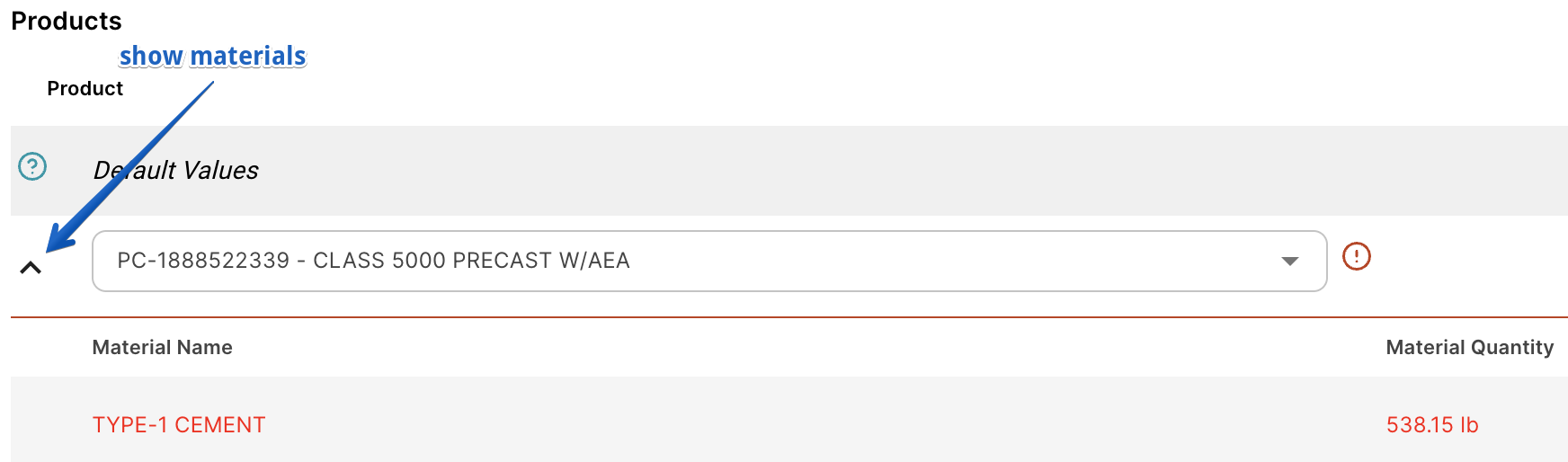
If any material cost is missing, you will see this red warning. You can look at the materials breakdown (clicking on the expand button) to identify which materials are missing. You can then always overwrite the material costs directly in the estimate
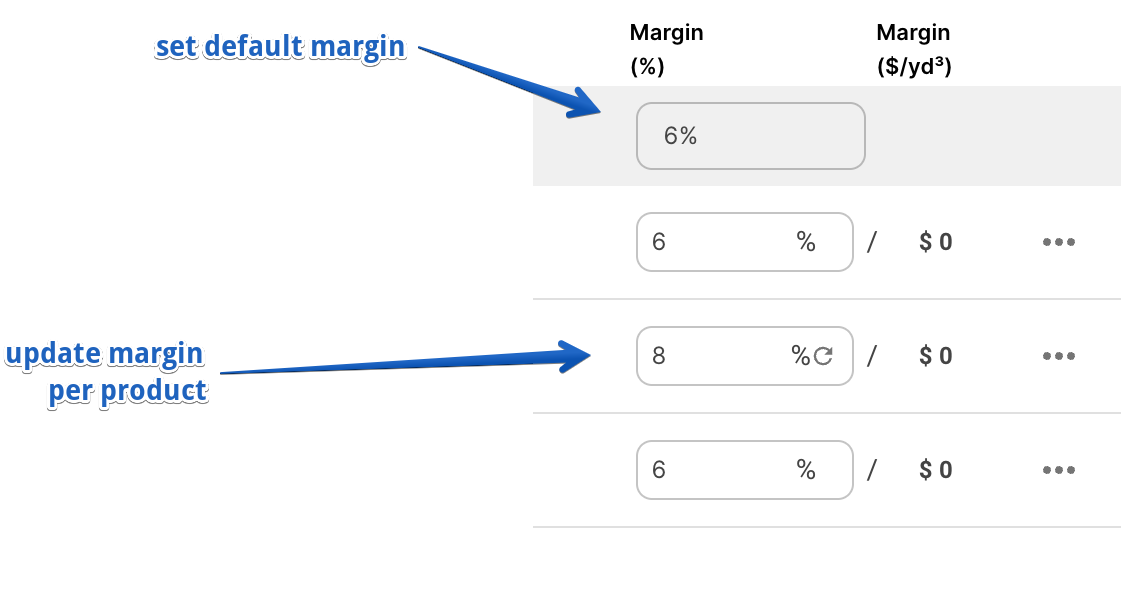
For each product, you can add the volume and margin%. Then the price will get calculated based on your costs and desired margin
You can also decide to overwrite the suggested price, in that case, the margin will get calculated.
Delivery Costs
There are 6 parameters in the delivery costs calculation:
- Truck Cost per Hour: defaults to the cost in the settings
- Load Size: Estimated average load size for that project
- Busy hours %: This is a factor to take into consideration the lost time between deliveries where a driver isn't delivering concrete. For example, 75% would mean the drivers aren't busy 25% of the time and we would want to include it in our costs. Leave it at 100% to not include that in your costs.
- Load time: estimated load time from that plant
- Travel time: how long in minutes does it take to travel between the plant and job site (one way). You can also click on "calculate" to enter the distance instead.
- On site time: how long on average is the truck at the job site. You can enter the unload and washdown instead.
There are 2 ways to enter these parameters:
- Project (default): all products will use the parameters at the project level
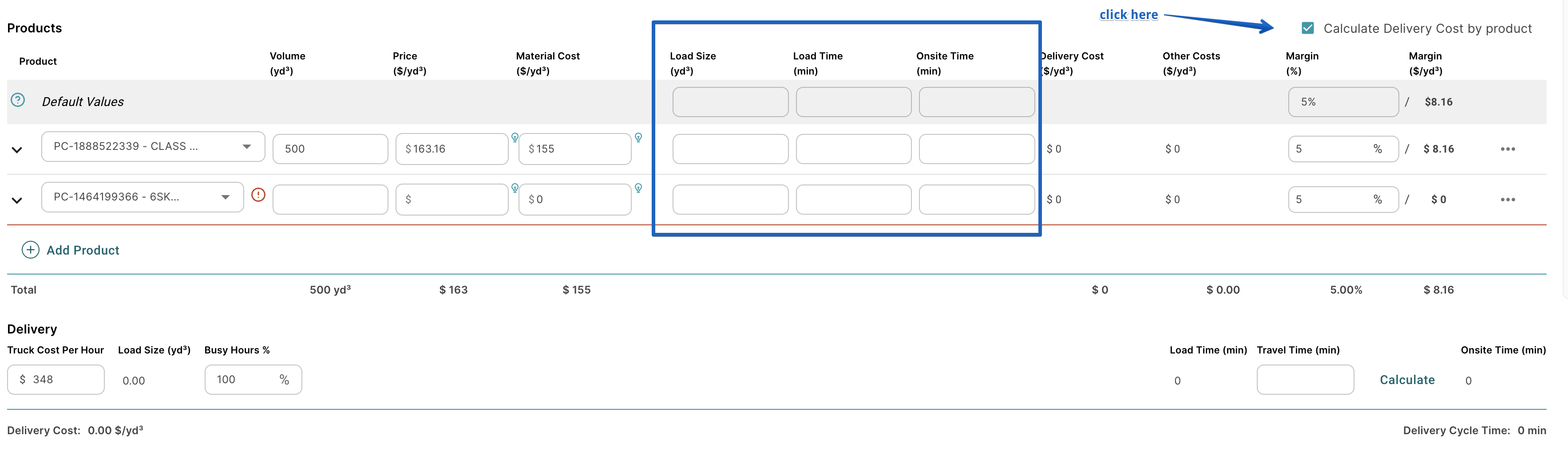
- Per Product: set load size, load time and onsite time per product
Click on "Calculate delivery costs by product" to be able to enter different values per product.
Extras
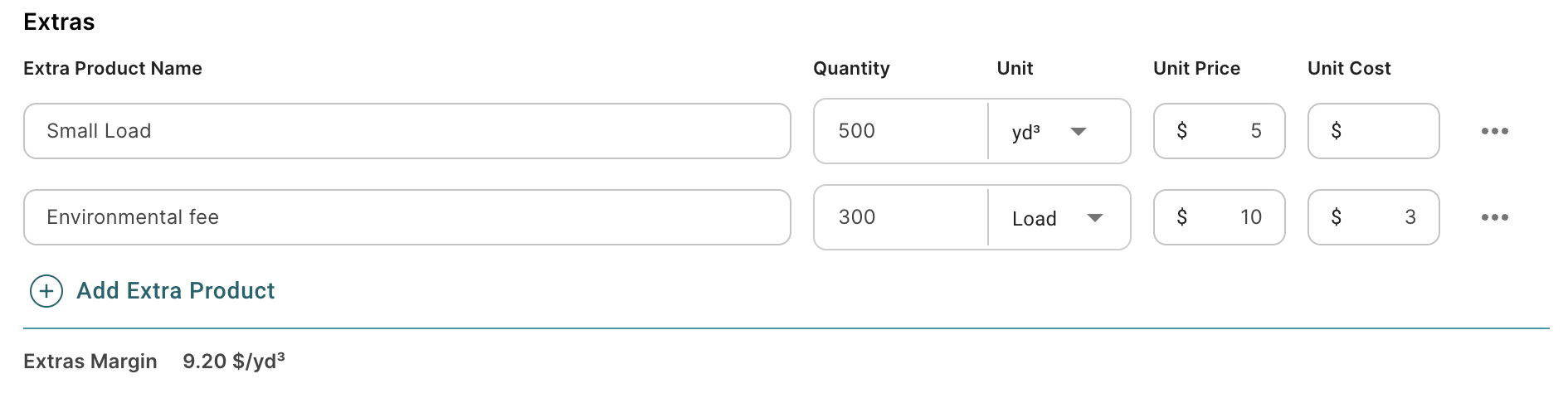
You can add any other extra products that will contribute to your margins, such as additives or small load fees.
Other Costs
Enter all other costs you want to take into consideration in the pricing.